What Is a Normal Map? (and How It Differs from Bump Mapping)
•16 min read
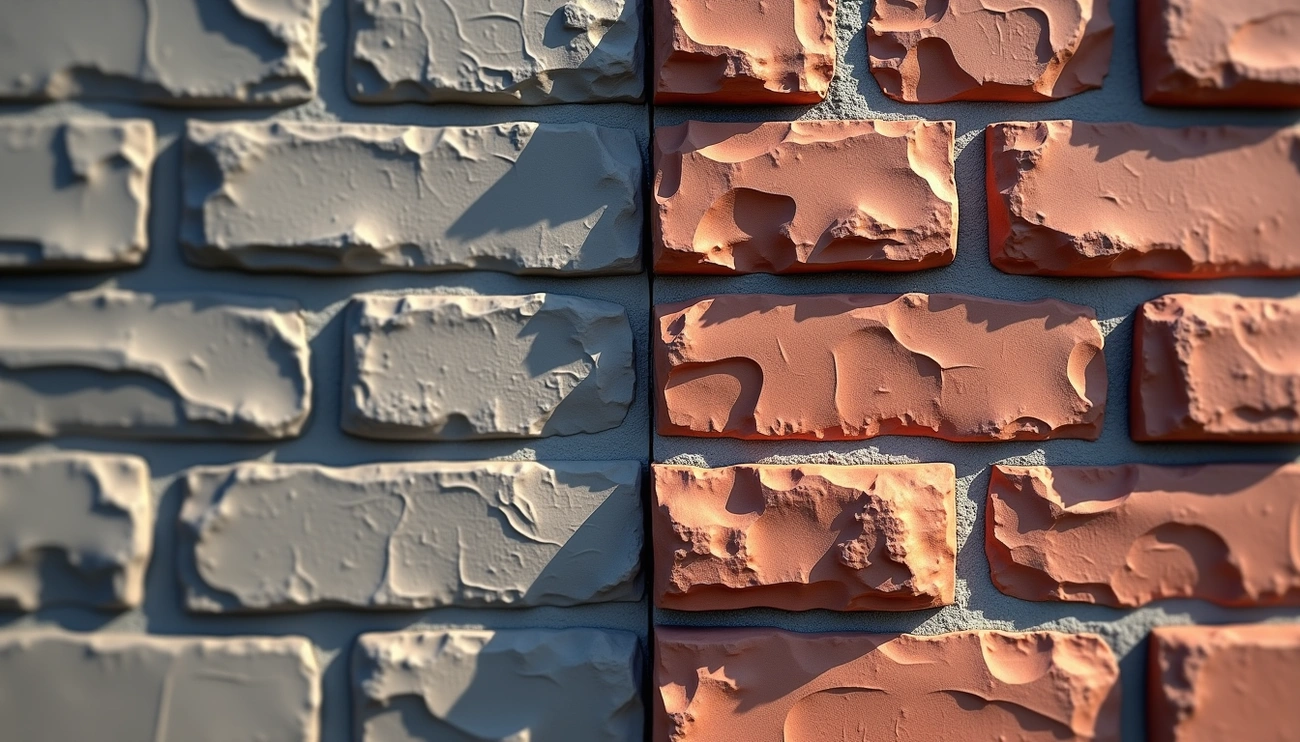
A normal map is an RGB texture that stores a surface’s facing direction at each pixel. The renderer uses those vectors to shade bumps, grooves, and scratches as if the mesh were denser — without adding triangles. That is the entire point of the format: keep the silhouette cheap, keep the lighting expensive-looking.
Two free references are worth bookmarking before you touch a slider. Wikipedia’s normal mapping page covers history and the difference from bump maps. LearnOpenGL’s normal-mapping chapter walks through TBN matrices — the actual math engines use when they transform a tangent-space vector into world space. NVIDIA’s older GPU Gems bump / environment-mapping chapter is still the best explanation of why perturbing normals is cheaper than displacing vertices.
How RGB channels map to XYZ
In tangent space (the game-industry default), red is X along the UV’s U direction, green is Y along V, and blue is Z pointing out of the surface. A perfectly flat surface encodes as about (0.5, 0.5, 1.0) in 8-bit color — which is why finished maps look purple-blue. Values are stored as 0–1 after a n * 0.5 + 0.5 remap from the −1…1 vector the shader actually wants.
If blue ever goes near black, the vector is pointing into the surface and lighting will look wrong. Photo converters can produce that if strength is cranked and the source is noisy. Flatten those pixels or lower strength; do not ship a map that points inward on a wall that should face the camera.
Tangent space vs object space vs world space
Tangent-space maps travel with the mesh. Skinned characters, tiled floors, and anything that deforms must use this. Almost every Unity, Unreal, Blender, and glTF material you will touch expects tangent space. The Khronos glTF 2.0 specification defines the normal texture as tangent-space on the metallic-roughness material.
Object-space maps store directions in the model’s bind pose. They cannot tile, cannot share UVs across pieces easily, and break if you deform the mesh. They still appear in some film / lookdev pipelines because they can be easier to debug (the colors relate to the object axes).
World-space maps are even more locked down: they only make sense for a static object in a fixed orientation. Real-time games almost never ship them as the primary shading map.
What is bump mapping?
Bump mapping is the older, one-channel version of the same idea: a grayscale height field that only pushes the shading normal “up or down.” James Blinn’s 1978 formulation is summarized on Wikipedia: Bump mapping. It is easier to paint by hand and cheaper to store (one channel instead of three), but it cannot represent a slope that leans sideways as cleanly as a full XYZ vector.
Practically: use bump for tiny pores on a mobile shader, or as a layer of grit on top of a normal. Use a normal for anything that has to hold up under a moving light on a hero asset. A complete how-to for photos is how to make a bump map from an image. Side-by-side capabilities live in Normal Map vs Bump Map.
DirectX vs OpenGL (invert Y)
DirectX and OpenGL disagree on whether +Y in tangent space points the same way as +V in UV. The result is a flipped green channel. If lighting looks “inside out” after import, you almost never have a broken baker — you have a handedness mismatch.
Unity documents the expected layout in the Standard Shader normal map parameter. Unreal’s normal map creation docs describe the DirectX-style Y axis used in many game pipelines. Blender’s Normal Map node has a Space dropdown (Tangent vs Object vs World) and a strength value; Color Space on the image must be Non-Color.
In the normal map generator, enable Invert Y (DirectX) when Unreal lighting looks inverted; leave it off for typical Blender / OpenGL workflows. Always judge in the target engine, not only in a generic web preview.
Baking vs converting a photo
The “correct” normal map is baked from a high-poly sculpt onto a low-poly cage. Rays record the true geometric slope. Photo conversion estimates slope from brightness with a Sobel or Scharr filter. It is an approximation: it cannot know whether a dark pixel is a hole or a stain. It is still extremely useful for photoscans, concept iteration, and tiling materials where you will never sculpt every brick.
Sobel is the default derivative in most real-time tools — fast and predictable. Scharr uses a slightly different kernel and can look smoother on noisy photos. Try both. For a grayscale bump you already authored, use bump to normal. For any albedo or height photo, use texture to normal map (same engine as the main generator).
Mips, seams, and compression
Normal maps are data, not pictures. Block compression (DXT5nm, BC5, ASTC) is designed so the XY channels survive; treating the file as a color texture and running it through a photo JPEG is how you get sparkling specular and bent lighting. In Unity, the texture type Normal map selects the right compressor. In Unreal, Normal compression is a separate setting from Default.
UV seams are another failure mode. A tangent-space map is defined relative to the UV layout. If two islands meet with mismatched tangents, you get a lighting crack. Photo-derived maps on a poorly unwrapped mesh will show this immediately. Fix UVs or bake; do not blur the crack away and call it done.
How to generate a normal map from a texture
Upload a photo, bump, or height texture. Set strength so detail is visible without inverting the blue channel. Add a little blur if the source is a phone JPEG. Toggle Invert Y for your engine. Preview on a sphere with a moving light — if highlights crawl the wrong way, invert Y or lower strength. Export PNG at source resolution. Pair it with roughness from the roughness generator or the full PBR set; a shiny normal on a fully rough material will look like plastic dirt.
When a normal map is the wrong tool
Normal maps never change the silhouette. Bricks that should stick out against the sky need displacement and a 16-bit height from the height map generator. Parallax occlusion mapping sits in between: it fakes extra depth in the shader without moving vertices, but it is still not a silhouette change and it is expensive on mobile.
FAQ
Why does my normal map look wrong in Unreal but fine in Blender?
Y-axis handedness. Invert green (or use Invert Y on export) and confirm the texture is imported as a normal map, not sRGB.
Can I invert a normal map online?
Yes — flipping the green channel is exactly Invert Y. Generate again with the toggle on, or invert G in any image editor. There is no need for a separate “invert normal map” product if you control export.
Is an AI normal map generator better?
Learned models can guess material type, but they also invent slopes that were never in the photo. A Sobel conversion is predictable and private. Use AI when you want a stylized guess; use a derivative filter when you want the photo’s actual contrast.
Make a normal map in the browser
Sobel or Scharr, DirectX Y flip, live 3D preview, PNG export. No upload.
Open normal map generator