AI Rendering Explained: How It Works and How to Actually Control It
“AI rendering” gets thrown around to mean almost anything, but for a 3D artist the practical question is narrower: can a model produce a photoreal image from your scene faster than a path tracer, without throwing away the control you spent years learning? Increasingly, yes — and purpose-built tools like Reviz.Design push it further, rendering real products in real spaces instead of inventing generic stand-ins. But to use any of this well, you have to understand what is actually happening under the hood, because AI rendering is not “rendering” in the sense you already know. It is a different computational philosophy with different failure modes. This guide breaks down how it works, where it fits, and — most importantly — how to steer it.
Two ways to make a pixel
Classic computer graphics produces an image by simulating the world. Rasterization projects triangles onto a screen and shades them; it is fast and powers real-time engines. Ray tracing and path tracing go further, tracing light paths through a scene and solving the rendering equation with Monte Carlo sampling. The result is physically grounded photorealism — at the cost of noise that only disappears as you throw more samples (and more time) at it.
AI rendering does something fundamentally different. It does not simulate light transport at all. A generative model predicts what a plausible image should look like, pixel by pixel (or latent by latent), based on patterns learned from millions of training images. There is no virtual camera firing rays. There is a model asking, in effect, “given everything I have seen, what image is most consistent with these constraints?”
That distinction explains both the magic and the danger. Simulation is faithful but slow. Prediction is fast but, left unconstrained, it will happily invent details that were never in your scene. The entire craft of AI rendering is about adding enough constraint to keep the prediction honest.
How diffusion models actually generate an image
Most current AI image generation runs on diffusion models. The intuition is counterintuitive: the model learns to create images by learning to destroy them.
During training, the model takes clean images and progressively adds Gaussian noise until they are pure static. It then learns to reverse that process — to predict and remove the noise one step at a time. Once trained, you can hand it pure noise and it will “denoise” its way to a coherent image over a series of steps (typically 20–50 in practice).
Modern systems like Stable Diffusion use latent diffusion: instead of denoising full-resolution pixels, a variational autoencoder (VAE) compresses the image into a smaller latent representation, the diffusion happens there, and the VAE decodes the result back to pixels. This is why these models run on consumer GPUs at all — the heavy lifting happens in a compressed space.
Text guidance enters through a text encoder (a CLIP-style model) whose embeddings are injected into the denoising network via cross-attention. That is what “a brushed-steel chair in a sunlit office” does: it biases every denoising step toward latents consistent with that description.
The problem for a 3D artist is obvious. A text prompt is a blunt instrument. It cannot express your geometry, your camera, or your exact product. For that, you need to condition on something richer than words.
The control problem — and why your maps are the answer
This is where AI rendering stops being a toy and starts being a tool, and it is also where your existing texture work becomes directly useful.
The progression of control looks like this:
- Text-to-image — maximum freedom, minimum control. Good for ideation, useless for matching a brief.
- img2img — you provide a starting image and a “denoising strength.” Low strength preserves structure and restyles; high strength reinterprets. This already lets you push a clay render or a rough block-out toward photoreal.
- Structural conditioning (ControlNet and friends) — the real breakthrough. Auxiliary networks constrain the diffusion process to respect a control signal you supply.
That third category is the one to internalize, because the control signals are exactly the maps you already generate:
- Depth maps lock the spatial layout. The model can restyle materials and lighting freely, but objects stay where your geometry put them and respect their relative distances.
- Normal maps preserve surface orientation and fine relief, so a paneled wall or a tufted cushion keeps its form instead of melting into a flat plane. If you are generating these, the normal map generator output feeds straight into this kind of pipeline.
- Edge maps (Canny / line art) pin hard silhouettes and contours — invaluable for keeping a product's outline intact.
- Segmentation maps tell the model “this region is floor, this is wall, this is the object,” preventing materials from bleeding across boundaries.
The mental shift is this: in a path tracer your maps describe physical surface response. In an AI pipeline, the same kinds of maps — depth, normal, height — double as conditioning that tells a generative model where the geometry is and which way it faces. A bump/height map you authored for displacement can be repurposed as a depth-like control signal; a seamless texture gives the model a consistent material reference to hold onto. (If any of the terminology here is unfamiliar, the texture and PBR glossary is a useful companion.)
Stack two or three of these conditions together and you constrain the model from multiple directions at once — layout from depth, form from normals, silhouette from edges. The output stops being “a plausible room” and starts being your room, rendered.
AI inside the traditional pipeline, too
Generative rendering gets the headlines, but a quieter revolution has been running in parallel: AI as a component inside conventional renderers.
- AI denoisers — NVIDIA's OptiX denoiser and Intel's Open Image Denoise (OIDN) use trained networks to clean up Monte Carlo noise. Instead of rendering 2,000 samples per pixel for a clean frame, you render a fraction of that and let the network reconstruct the rest. This is generative prediction in service of a physically based image.
- Temporal upscaling (DLSS and similar) — render at a lower internal resolution and let a network upscale and anti-alias using motion vectors and prior frames. Standard practice in real-time now.
- Neural Radiance Fields (NeRF) — learn a continuous volumetric function of a scene from a set of photos, then synthesize novel viewpoints. Powerful for capturing real environments, though slow to train.
- 3D Gaussian Splatting — an explicit representation built from millions of oriented gaussians that renders in real time and, for many capture-and-replay use cases, has largely overtaken NeRF on speed.
The takeaway: “AI rendering” is not one thing replacing the old pipeline. It is a spectrum — from a denoiser shaving samples off a Cycles render, to a fully generative diffusion pass, to neural scene reconstruction. Most real production work today blends them.
The fidelity problem nobody warns you about
Here is the wall every team hits when AI rendering meets commercial reality. A generic text-to-image model is brilliant at producing a sofa. It is terrible at producing your sofa — the exact SKU, with the exact stitching, leg profile, fabric weave, and proportions in your catalog. Diffusion models are trained to generate the plausible, and plausibility is the enemy of fidelity. The model will subtly invent geometry, drift colors, and “improve” details that a client specified down to the millimeter.
For mood boards and concept work, that freedom is a feature. For anything that has to represent a real product — e-commerce, spec sheets, manufacturer catalogs, client-facing presentations — it is a liability. This is precisely the gap that product-faithful systems close: by conditioning generation on the real product (reference imagery, geometry, controlled img2img) rather than a text description, you keep the photoreal speed of AI while holding the object true to the original. It is the difference between “generative roulette” and a render you can put in front of a buyer. Reviz.Design, for instance, is built around exactly this constraint for commercial furniture — dropping the actual catalog product into a real scene rather than an approximation of it.
A concrete way to engineer fidelity rather than hope for it: in Reviz you assign the real materials before you render, so the finish on the final image is the one you chose — not a plausible-looking substitute the model invented. Specifying materials up front is the same principle this whole article is about, applied at the surface level.
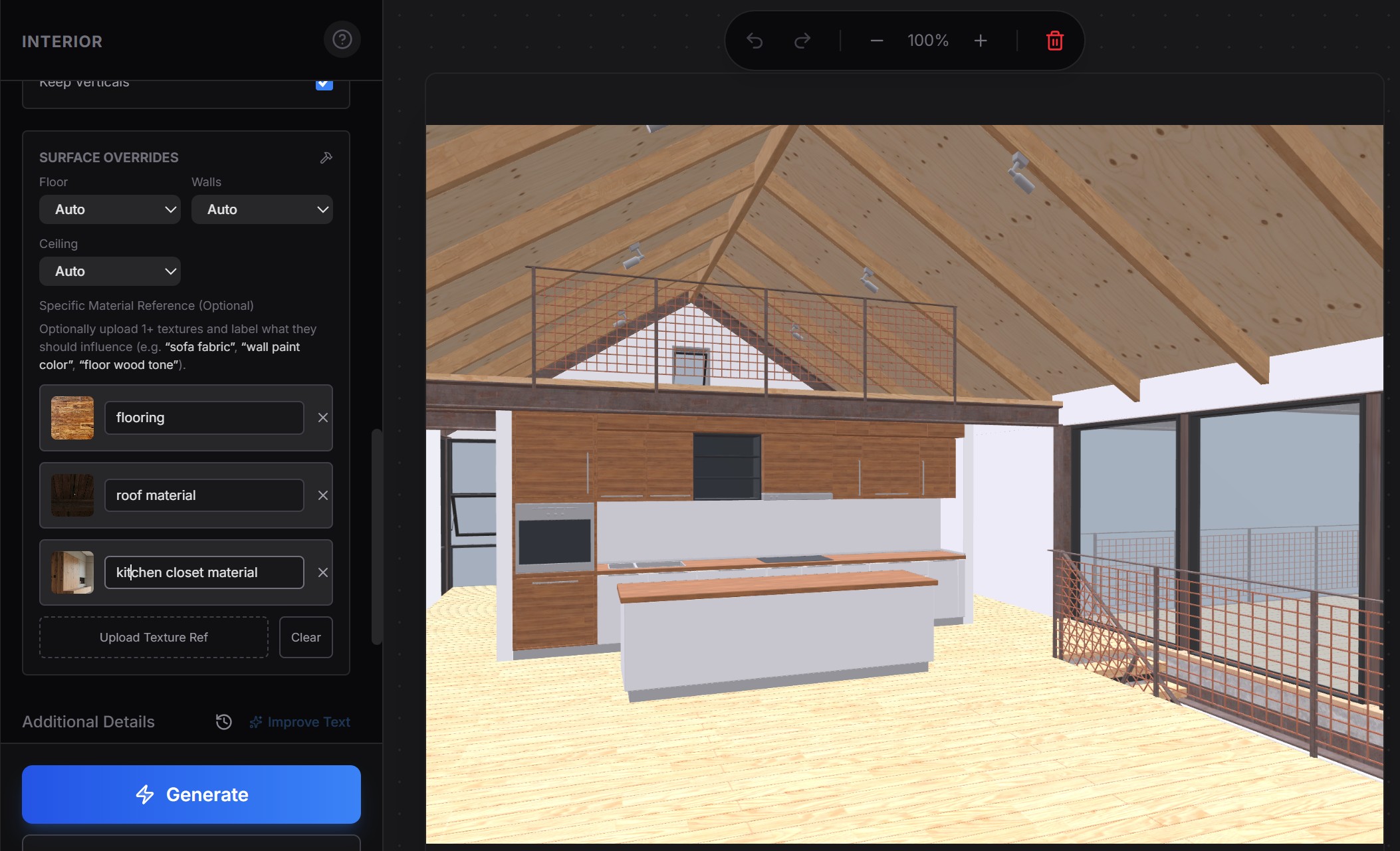
The reference does not have to be a precise material definition — it can be a plain example image of the look you are after. For each surface you upload a reference photo and label what it should influence (“flooring,” “roof material,” “kitchen closet material”), crop it to the useful area, and the model treats that image as a conditioning signal — exactly the principle from earlier — rather than a literal texture to paste on.
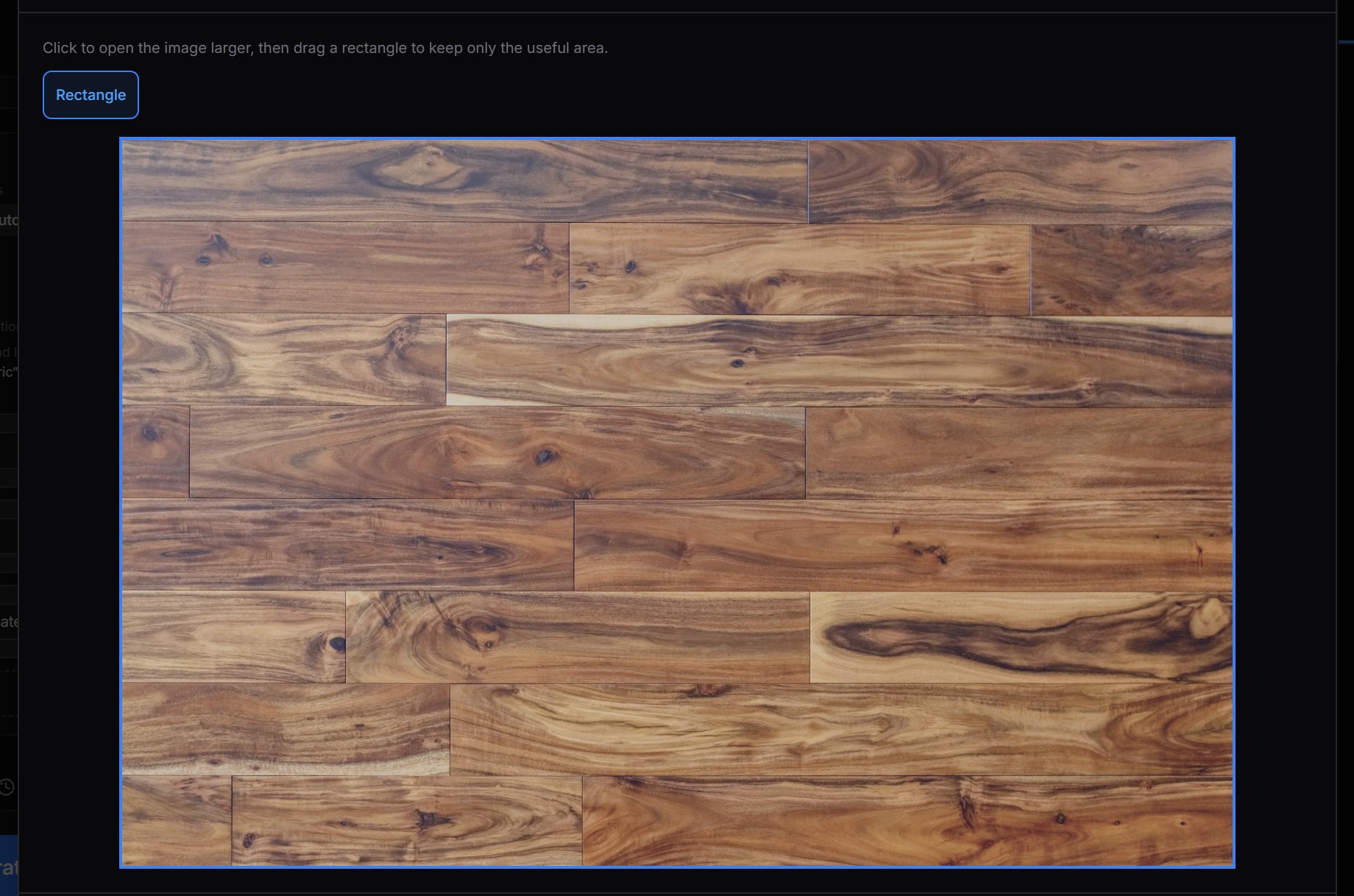
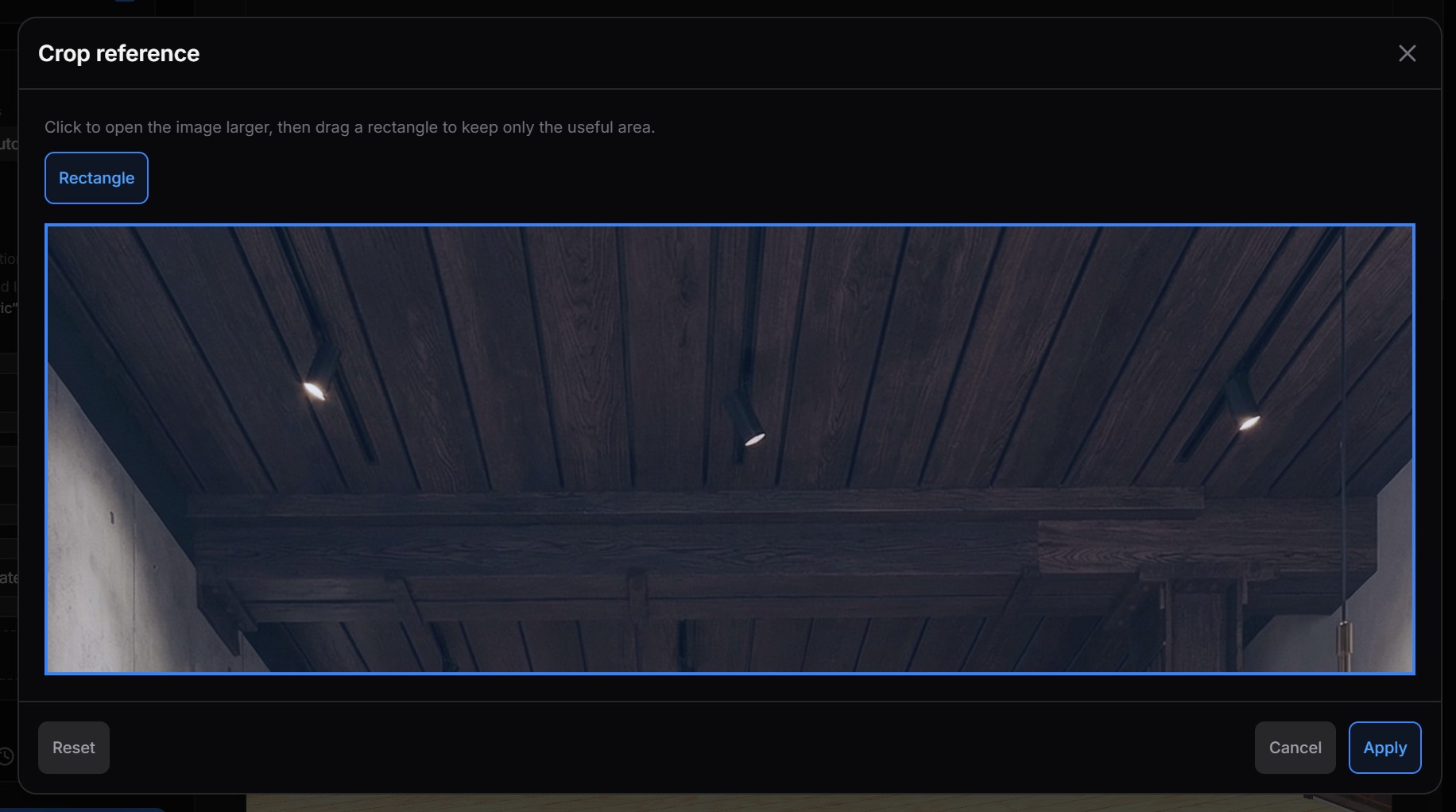
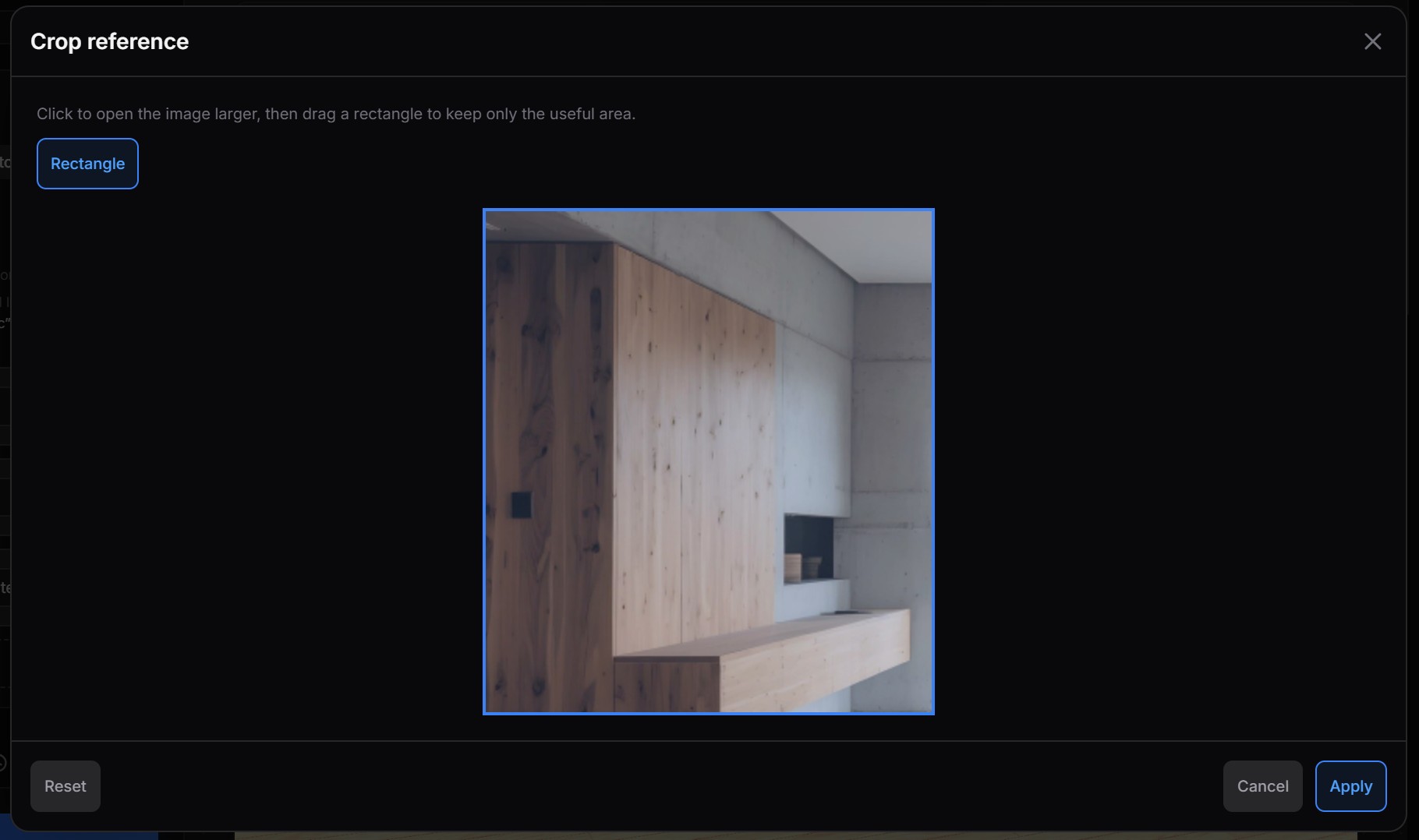
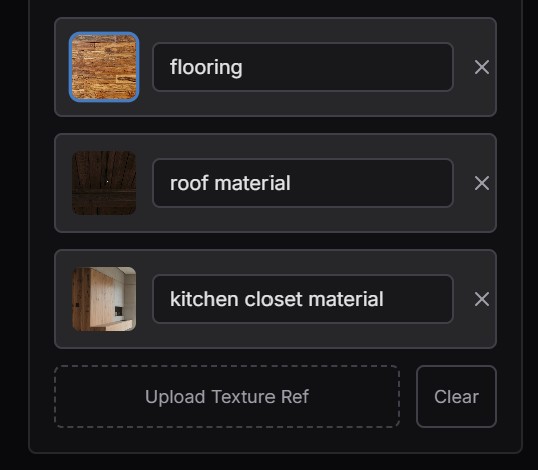
The payoff is clearest side by side:
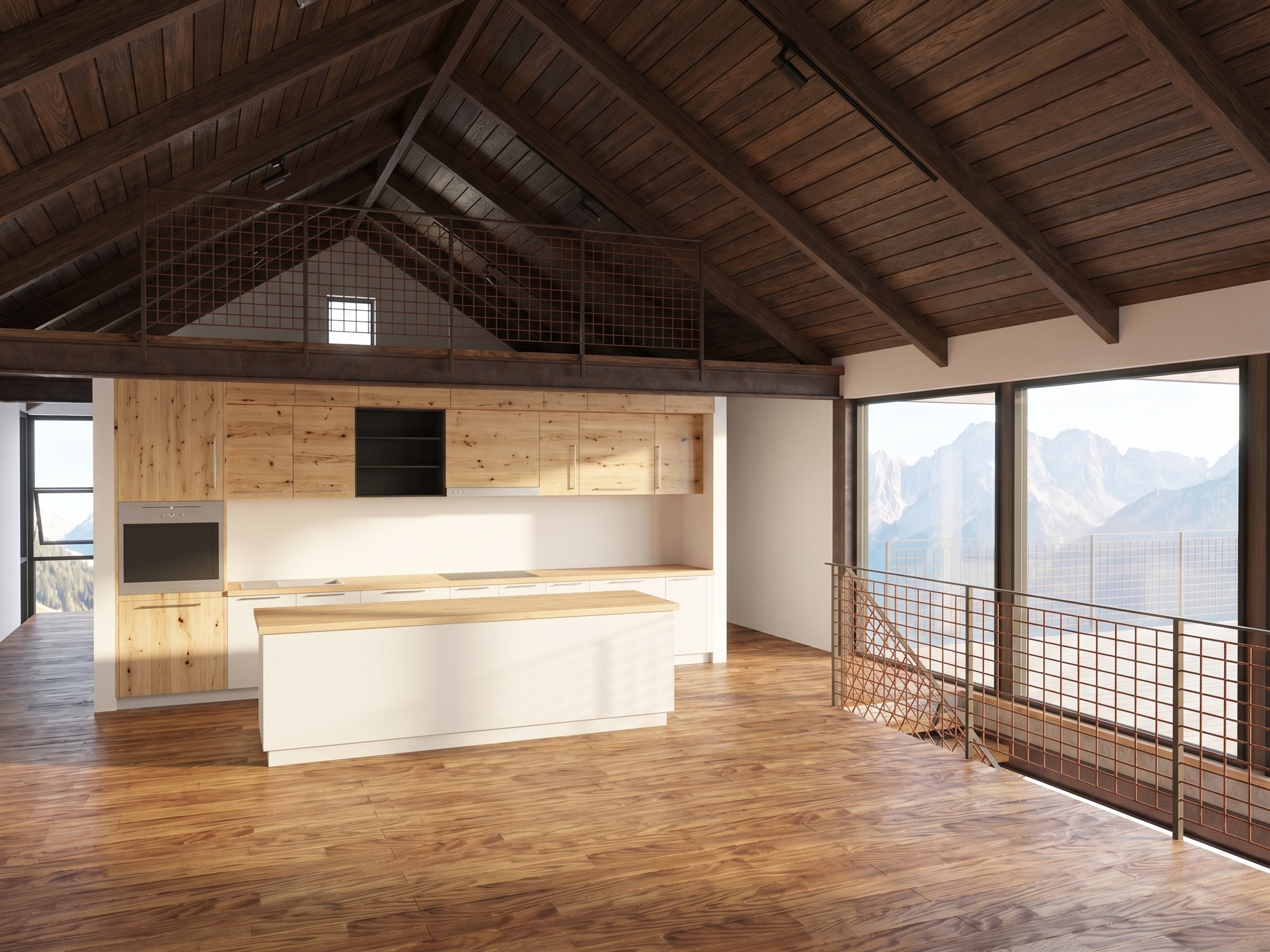
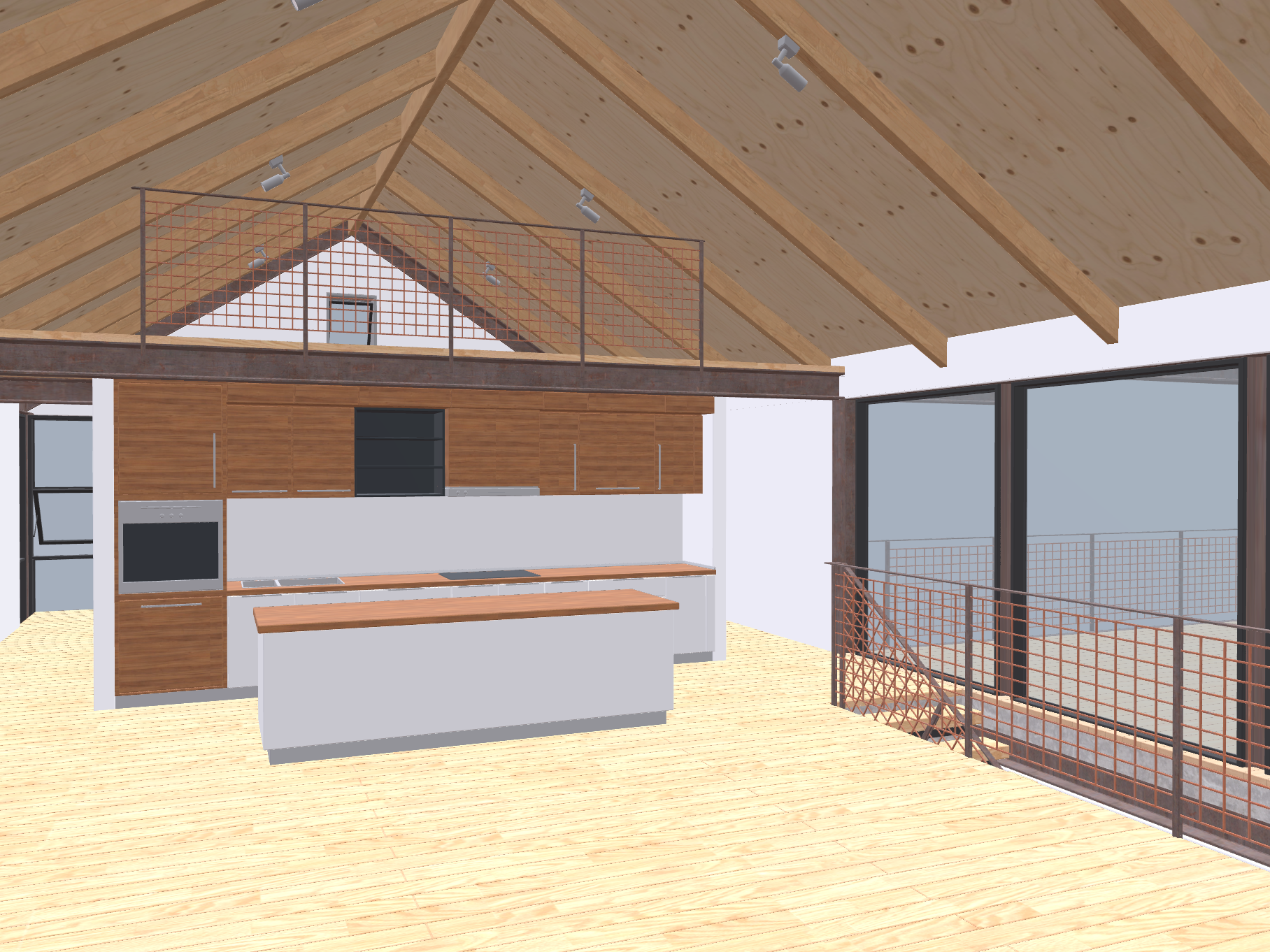 BeforeAfter
The same fidelity-first logic extends past a single image: for interior designers, Reviz can also assemble a material board from the chosen finishes — a small detail, but a telling one, since it treats the real specification as the source of truth rather than something to be reinvented per render.
If you take one principle from this article, make it this: the value of an AI render is inversely proportional to how much it had to invent. Every control signal you add — depth, normal, edge, reference — buys back fidelity the model would otherwise hallucinate away.
Where AI rendering fits in a real workflow
A pragmatic 2026 workflow rarely picks one approach. It layers them:
- Ideation — text-to-image to explore directions fast, before committing geometry.
- Look development — img2img over a grey/clay render to test materials and lighting at speed.
- Final-frame control — depth + normal + edge conditioning to lock your actual scene, then a generative pass for photoreal output.
- Cleanup — AI denoising and upscaling on conventional renders where physical accuracy is non-negotiable.
The honest trade-offs still apply. AI rendering wins on speed, iteration, and cost. It loses, without strong conditioning, on exactness, consistency across a series, and fine text/logo legibility. Knowing which lever to pull for which shot is the skill that separates a gimmick from a pipeline.
Conclusion
AI rendering is not a replacement for understanding light, materials, and geometry — it is a new way to express that understanding. The artists getting the most out of it are not the ones with the best prompts; they are the ones who feed the model the richest constraints. Depth maps, normal maps, height maps, clean references: these are the steering wheel. The model supplies the horsepower, but you decide where it goes.
Generate the maps that give you that control, learn which conditions lock which properties, and treat fidelity as something you engineer rather than hope for. That is the whole game.
Want to put theory into practice?
Start with the normal map, bump/height map, and seamless texture generators — all free, all in-browser.